Showing posts with label photography. Show all posts

Sunday, March 27, 2011

Faking Daylight: Portrait Session with Michael Asino

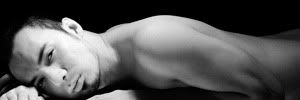
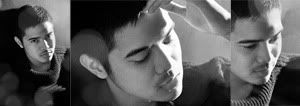
A few weeks ago, Michael Asino, an artist, commissioned me to take his portrait to be used in his social networking accounts. Michael, being a very busy person, is just available at night. We did the shoot in my place in Santa Rosa at around 9:00pm.

Mike, wanted his photo to look a bit casual but still presentable as he is being contacted by his clients mostly in social networking accounts, particularly in facebook. We sat for a few minutes and talked about the "feel" he wanted for the final photo. We both agreed to make the photo, black and white to have that "classic" feel. I told him that the photo should also feel "light" and not stiff for him to look very cordial.

I wanted the photo to look as if it was taken during a sunny day. I sat Mike near a window and placed one of my speedlights behind him to make it look like as if the sun is just gleaming through the window. To light his face, I placed a reflector near him to bounce the light from the speedlight to his face.

Mike is not used to having his photos taken and looked very stiff so I started a conversation while I was taking his photo. I wanted to capture a very natural smile so I started asking things about his daughter. Right away, Mike, thinking about his daughter, let out a very warm smile and I was able to capture it. Here's the final photo and a simple diagram of my lighting set up.


camera: 85mm 1/200 2.8 200ISO
speedlight: TTL +1.0

Click here to view full entry...

Monday, March 7, 2011

High Key Photography: Available Light

A couple of weeks ago, I had a portrait session with my friend's little sister, Grey. I took her portraits as my graduation gift to her. Here are the photographs...


(click to zoom in)

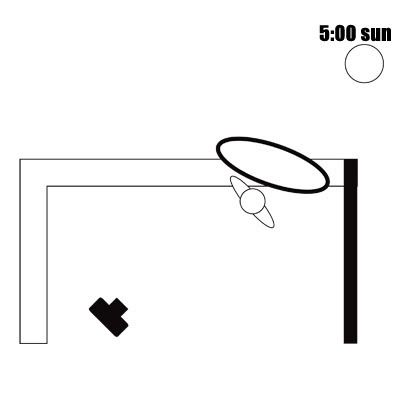
The location? A studio? Nope. I took the photos in my room's veranda. Grey and her sister, Gretle went to my place at around 3:00pm. I started taking photos at around 5:00pm after all the preparations (make up etc.) and chikahan (catching up). I took advantage of the sun's position in the sky during that time which was directly parallel to us. I asked Gretle to hold a diffuser (my big 5-in-1 reflector's diffuser) behind Grey, with the sun behind it. I metered at Grey's left cheek and overexposed by a stop, set the focus in her left eye and then started taking photos.

Here is a simple diagram of our setup:

diagram
Camera Settings: 1/200 1.8 85mm

At that time, the color temperature of the sun was a bit warm and gave the photos a reddish tint for I used the daylight white balance which I thought was ok but after a few adjustments when I was post-processing the photos, I ended up making the photos look colder, which I thought was perfect because Grey was wearing winter clothes.

Click here to view full entry...

Monday, February 14, 2011

Diane Wilson Matias

Shot in Kagoshima, Japan

Click here to view full entry...

Friday, November 26, 2010

Costa Classica Friends

I haven't been posting anything lately, well, because, yes, I've been very busy. I've been helping my bestfriend's mom run her clothing business.

I've always wanted to post the reasons why I quit my job from Costa Cruises as a cruise photographer but then I really can't find the time to write about it.

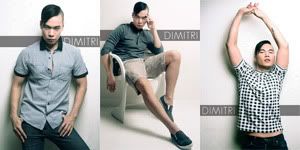
For the meantime, I'd like to share some photos I took when I was onboard. People in these photos are those people I befriended while I was in Costa Classica.

I'll start with Chiara and Dimitri.

Chiara, Crew Lecturer


Dimitri, Dancer


Click here to view full entry...

Wednesday, February 17, 2010

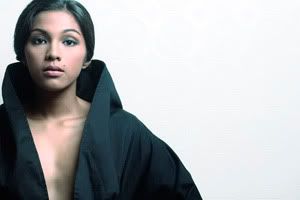
Richard Faulkerson Jr.

As I was packing up my things after finishing the shoot for Ginoong (Mister) Santa Rosa for that project I said in one of my previous blogs, a new friend asked me a favor to take photos of the 2009 Mr. Santa Rosa, Richard Faulkerson Jr.

With Richard's uber cute angelic boy-next-door-type face, who could say "no"?


Click here to view full entry...

Sunday, February 7, 2010

Friday, February 5, 2010

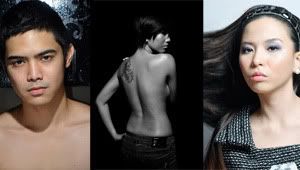
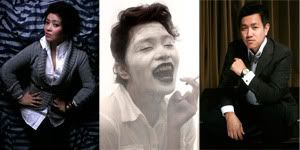
Gyno Ferrer

portrait of a make up artist


Click here to view full entry...

Wednesday, February 3, 2010

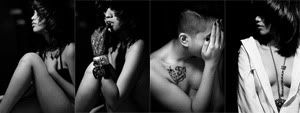
Happy 18th Bday, Carm


Styling: Anton Belardo
Make up: Gyno Ferrer
Click here to view full entry...

Wednesday, January 20, 2010

Wednesday, January 13, 2010

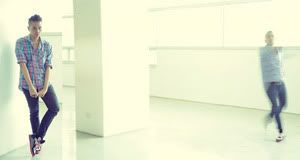
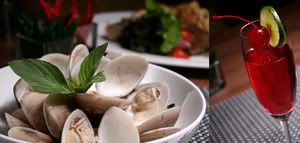
spaces


Click here to view full entry...

Saturday, January 9, 2010

D90 as a lomo camera

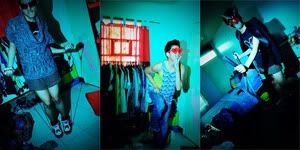
When boredom attacks, I always end up doing unexpected things. Lately, I've been hanging out with friends doing absolutely nothing. Obviously I got bored, picked up my camera and experimented. I wanted to come up with photos looking like they were taken using a lomo camera... Over saturated, high in contrast, having psychedelic colors and looking as if they were taken not following the traditional rules (perfect exposure, well composed, etc etc).

THE COLORS
I am no expert with picture control settings of my camera so i just decided mess up with it. After experimenting and a few test shots... I came up with these setttings...

VIVID
sharpening 5
contrast +3
brightness +1
saturation +2 (or it really depends on how saturated you want your photos to be)
hue - 3

WB (if gonna be used in daylight or with a flash) 2940K
G-M G5
A-B A4

THE EXPOSURE
As for the exposure, I wanted the ambient lights to affect the final photo so i followed my usual work flow when dealing with flash and ambient light (I've learned this from the Nikon website)... first, use the camera mode in auto mode to come up with the right exposure so that the ambient lights will end up showing in/ affecting the photo, then use the settings given by the auto mode in manual mode and use my flash, off-camera, to light up the subject. also, the zoom setting of my flash was 85mm so that it had that "spot light" feel. The flash power? well it really depends on you. but I think over exposing the subject looked nice.

MULTI EXPOSURE
Since d90 also has this multi exposure feature, I decided to use it to come up with multi-exposed lomo-looking photos.

VIGNETTE
The vignette.... we were taught back in my college photography class how to manually give photos those soft black corners. Either, burn and dodge the photo when developing it in the darkroom or just cut a piece of black paper and tape it at the end of your lens hood (you're basically extending your lens hood until you see black edges when you looked through the viewfinder). I did the latter, of course.

Anyway what's important if you want to able to take photos like these, you just have to remember the keywords... experiment, play and have fun.

enough said.. here are the photos....


no photoshop editing =)
Click here to view full entry...

Thursday, January 7, 2010

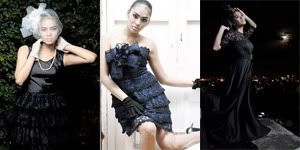
Frances Karla Paderna


dresses by John Paras, Katie Pineda and Tracey Tabora
Click here to view full entry...